
Internet Download Manager screenshots
See the Windows app interface, download details, settings, and scheduler before you install.
See the Windows app interface, download details, settings, and scheduler before you install.
Use the settings window to choose how downloads are captured, organized, and displayed. The screenshot shows the app's own Windows configuration dialog.
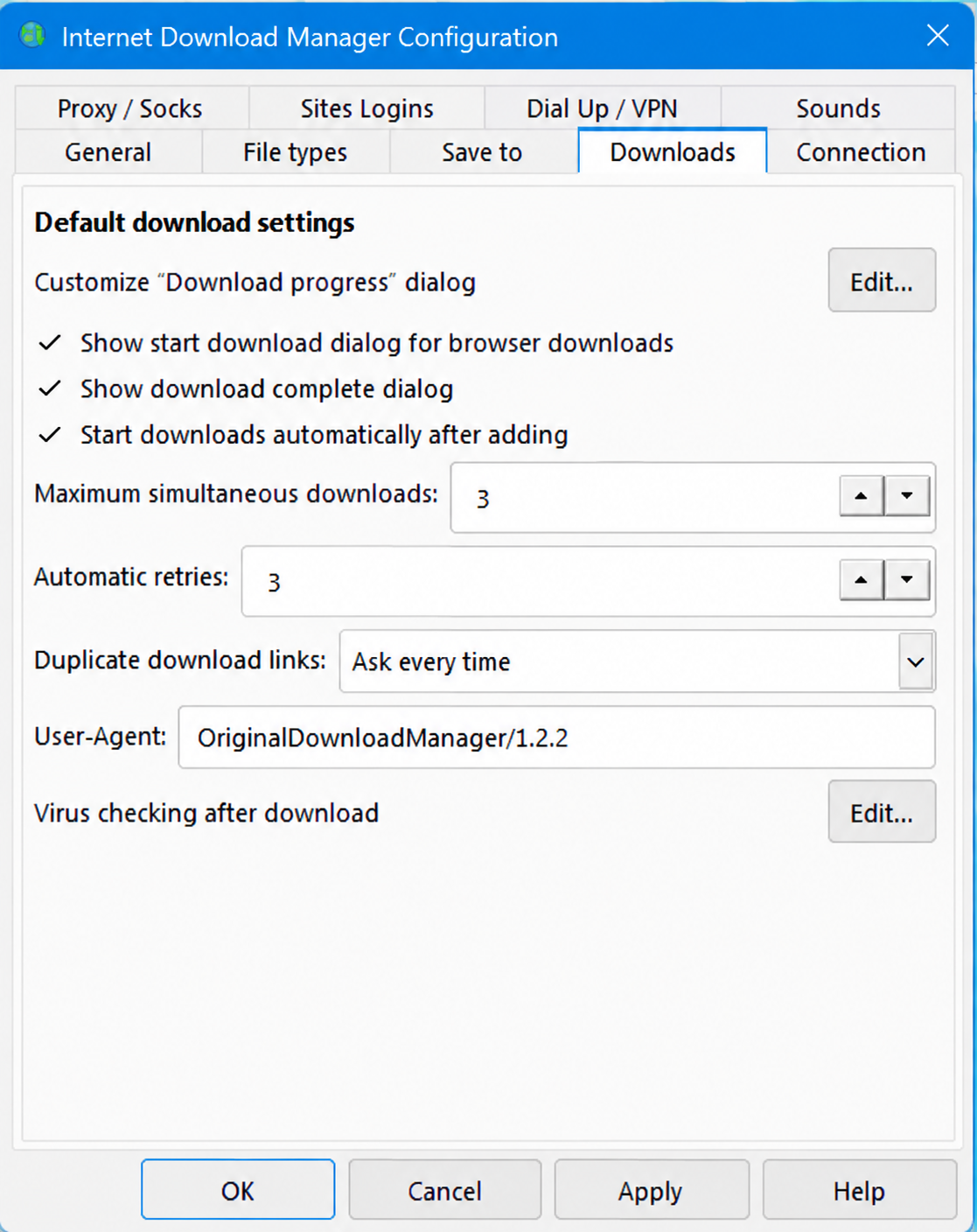
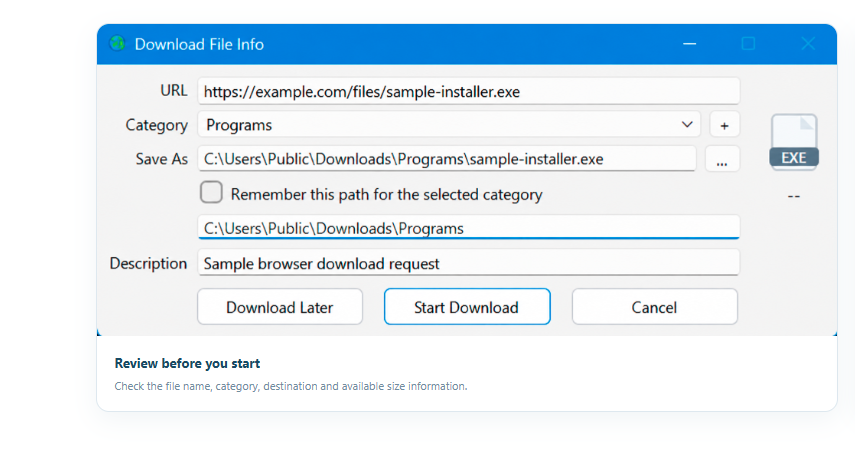
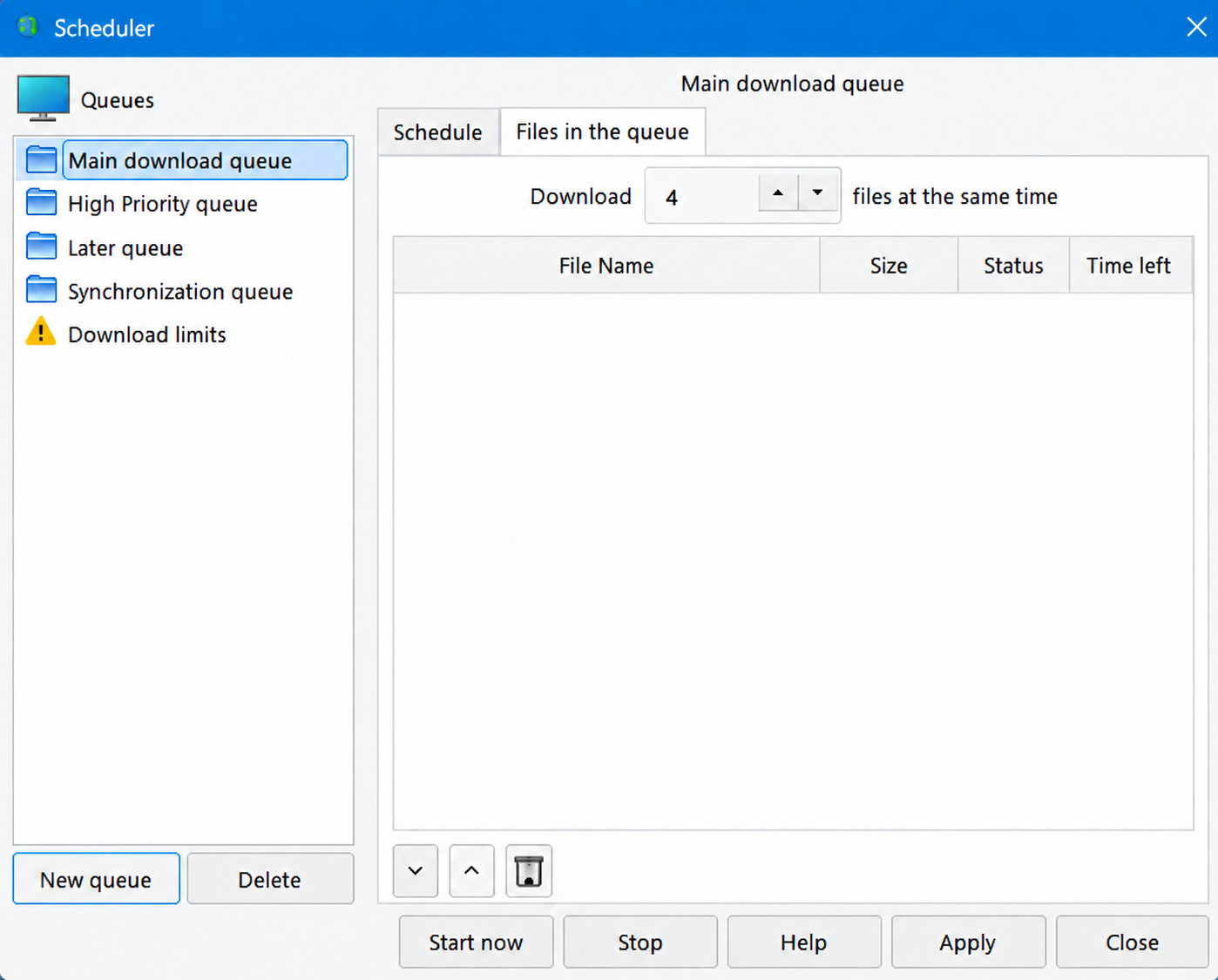
Preview the Download File Info window and Scheduler. Sample names and values are shown for illustration.
Download the latest published installer from the project releases.