Direct link downloads
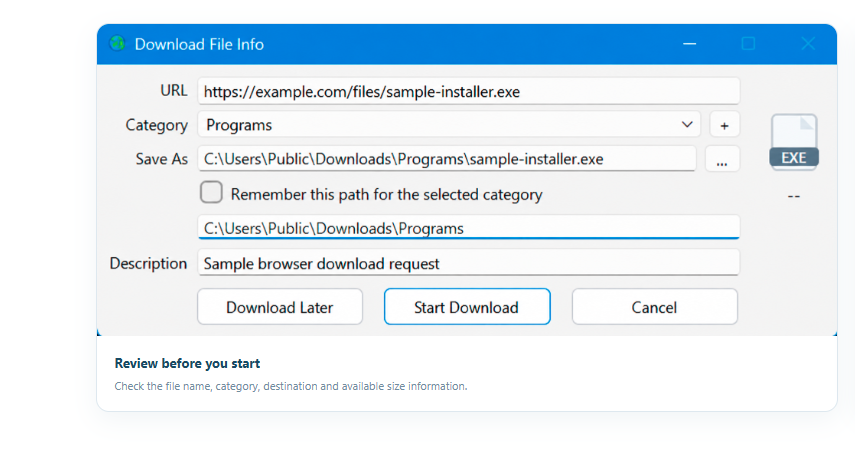
Add a direct file URL and review its details in the app before you begin.
A free download manager for Windows with dynamic multi-connection downloads. Review file details before starting, keep files organized by category, pause and resume anytime, and plan queues with the built-in scheduler.
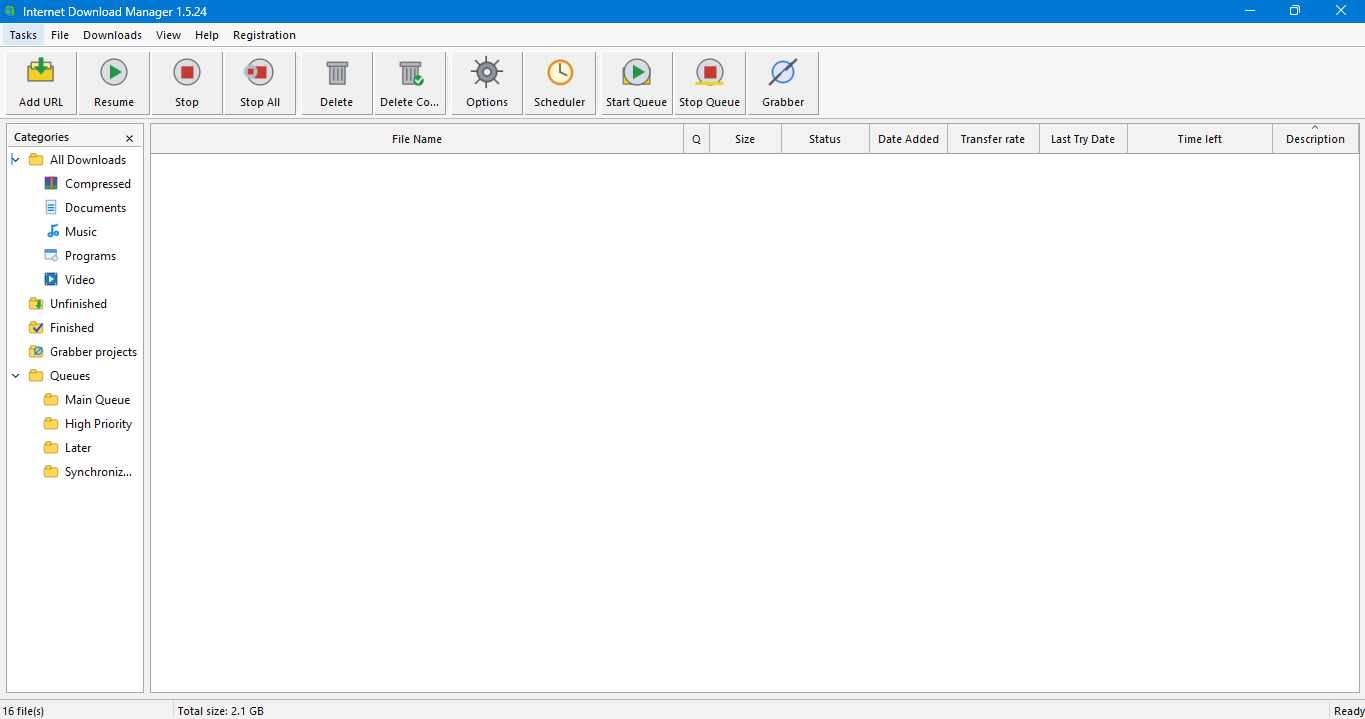
Internet Download Manager (IDM) is a free Windows download manager that speeds up downloads with dynamic multi-connection technology, splitting files into segments that download simultaneously. It organizes downloads by category, pauses and resumes supported transfers, schedules download queues, and passes supported browser links into the app. Current version: 1.5.68.
When you add a supported link, check the file name, type, category, destination, and available size information before the transfer begins.
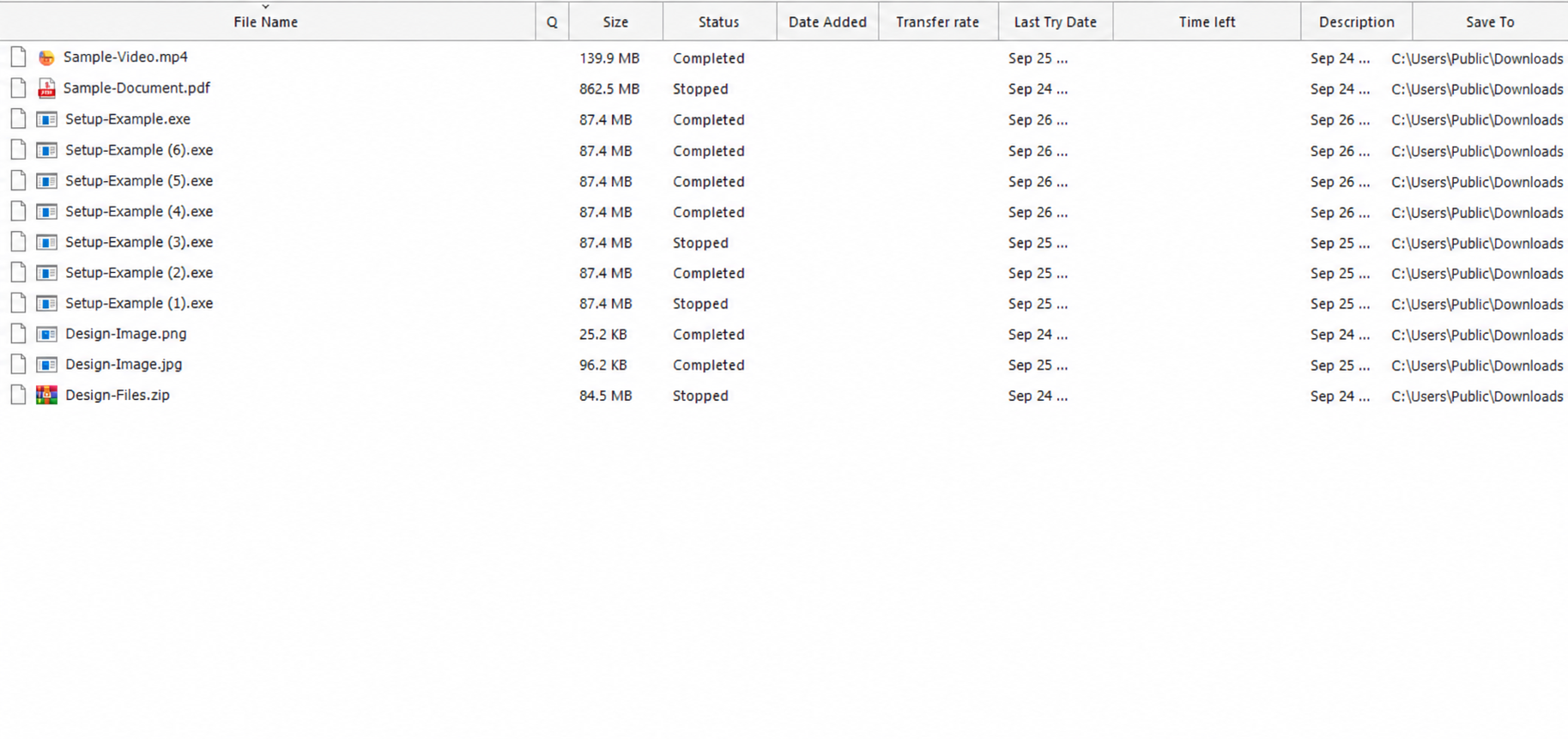
Explore screenshots from the actual project interface, from reviewing a new file to organizing scheduled downloads.
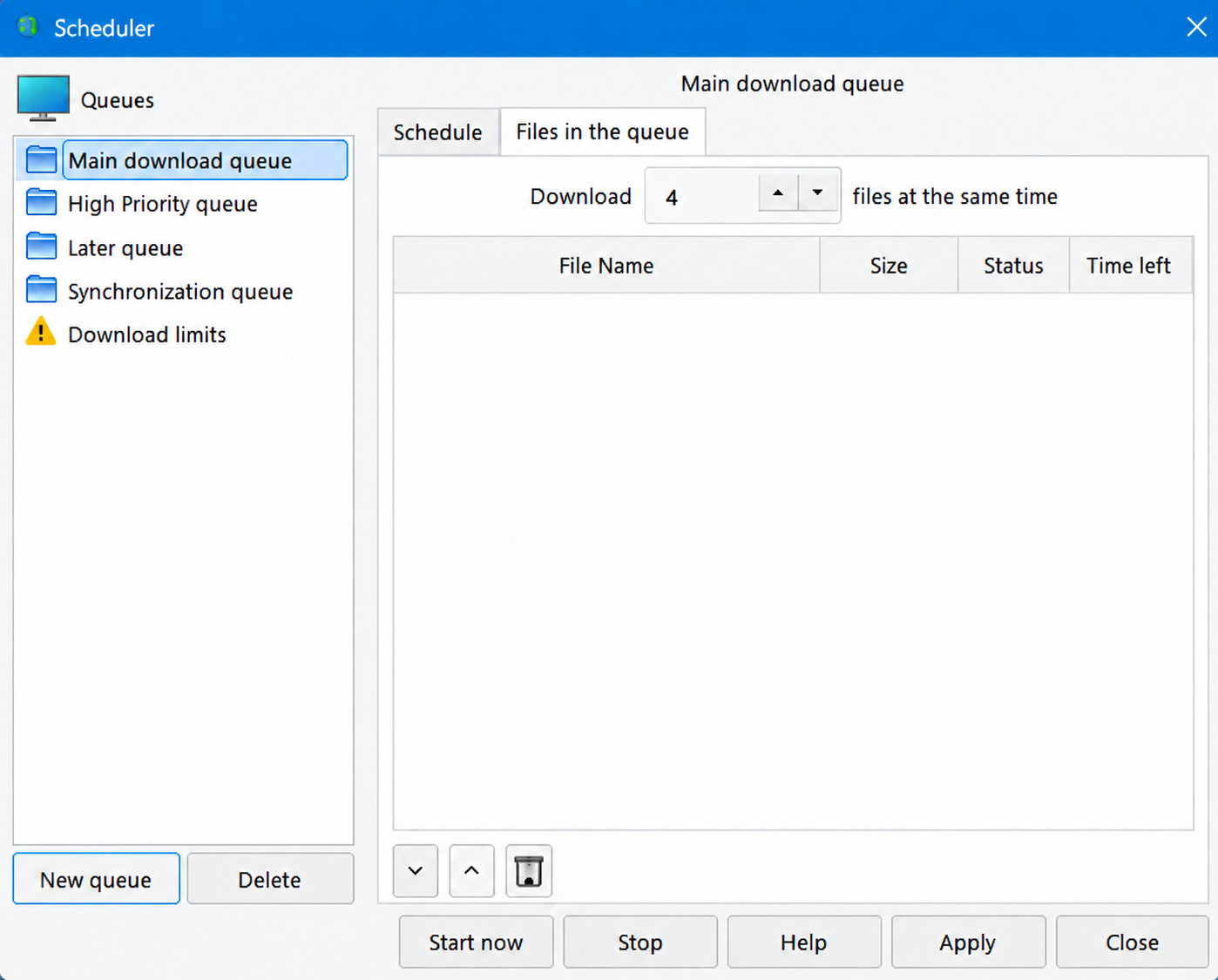
Use familiar controls to add links, follow active transfers, group files, and schedule queues.
Add a direct file URL and review its details in the app before you begin.
Keep videos, documents, programs, and compressed files in their own download categories.
Track each transfer and pause or resume supported downloads when needed.
Group downloads and use the scheduler to start work at a planned time.
Send compatible links from the browser integration to the Windows app.
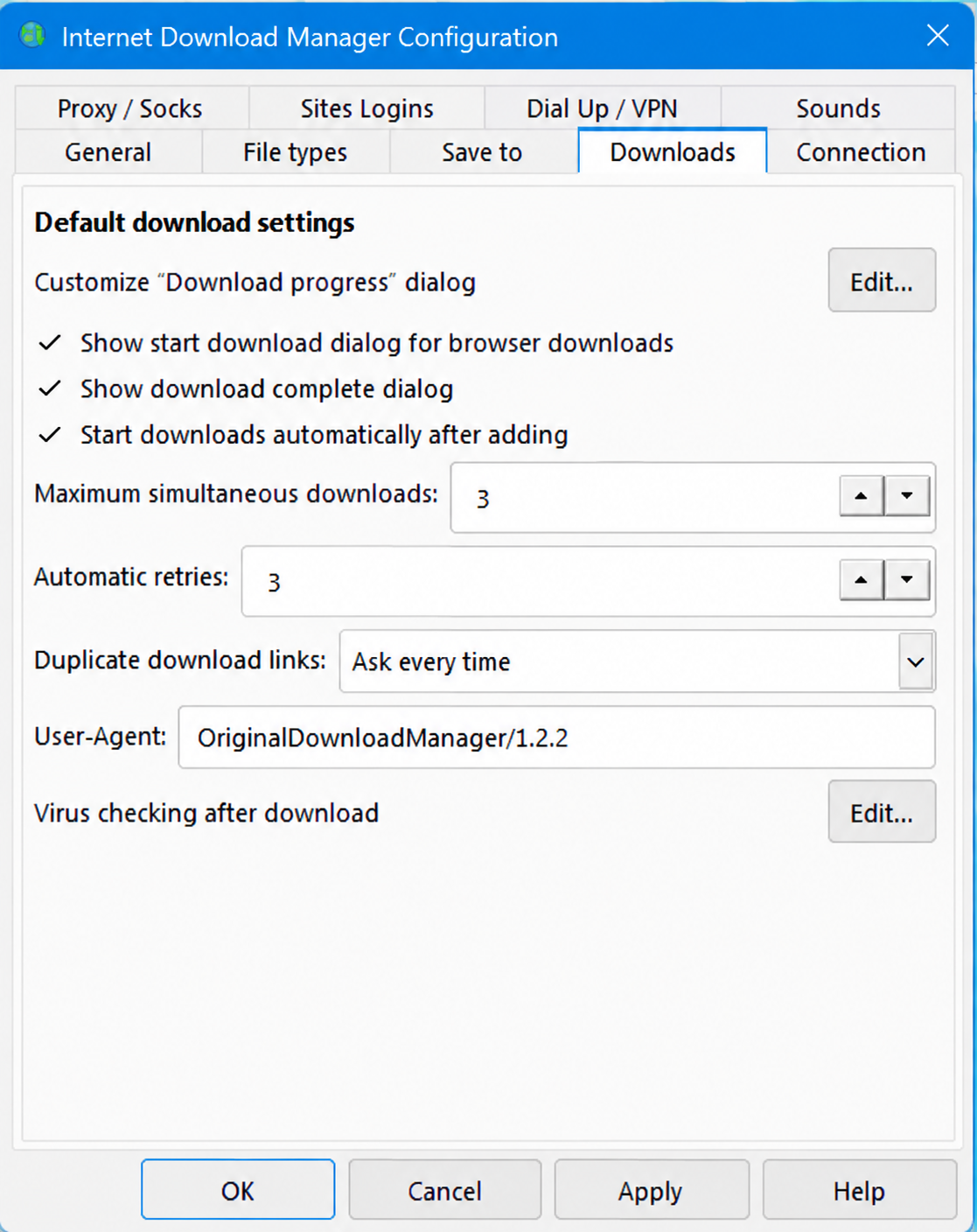
Configure file types, connections, save folders, proxy settings, and other options.
With the browser integration installed and enabled, supported downloads can open in the app's file information window. Browser and website support depends on compatibility and the source link.
Release information is loaded from the project's GitLab Releases when it is available.
Published: Oct 9, 2026
Installer size: 61.5 MB
Find guidance for installation, supported links, release updates, and file details.
Visit support →No. A link must be supported by the app, browser extension, and source website. Protected, expired, or unsupported links may not transfer.
Resume depends on the server. If the source supports it, the app can continue a paused or interrupted transfer.
The Downloads page shows the latest published release details and links to the full release notes.
You can try Internet Download Manager for free! No email or credit cards required. Download and install IDM and stop waiting for your downloads.
Download Internet Download ManagerFor OS: Windows 7, Windows 8/8.1, Windows 10, Windows 11
 WINDOWS
Download the latest published Windows installer, then review the release details and setup guide.